



Si vous gérez une association de parents d'élèves avec un budget serré et une équipe de parents bénévoles qui change régulièrement, vous n'avez pas le temps de jongler entre plusieurs plateformes ni de voir les fonds récoltés fondre à cause des frais de traitement des paiements. Ce guide vous présente dix alternatives à PayPal conçues pour les petites associations à but non lucratif comme la vôtre, en comparant les coûts réels, les fonctionnalités et les outils qui vous font réellement gagner du temps au lieu de vous en faire gagner.
Chaque année, les associations de parents d'élèves perdent des centaines, voire des milliers de dollars à cause des frais de transaction de PayPal, de la complexité des calendriers de versement et de l'absence de fonctionnalités dédiées à la collecte de fonds. Voici ce qui est en jeu :
- PayPal facture aux associations de parents d'élèves 1,99 % + 0,49 $ par transaction, même avec les réductions accordées aux associations à but non lucratif. Cela signifie qu'une association de parents d'élèves qui collecte 10 000 $ perd 200 $ ou plus en frais
- La plupart des alternatives à PayPal, telles que Square, Stripe et Venmo, facturent toujours entre 1,9 % et 2,9 % par transaction, auxquels s'ajoutent des frais supplémentaires
- Zeffy est la seule plateforme de gestion des paiements sans frais et de collecte de fonds tout-en-un spécialement conçue pour les associations à but non lucratif telles que les associations de parents d'élèves
- Zeffy offre tout ce dont les associations de parents d'élèves ont besoin : billetterie pour les événements, gestion des donateurs, reçus fiscaux, enregistrement via QR code et paiement sans contact — sans frais
- Une plateforme adaptée permet aux associations de parents d'élèves de gagner du temps et de l'argent en remplaçant des outils disparates par une solution simple
Table des matières
- Pourquoi les associations de parents d'élèves se tournent vers des alternatives à PayPal
- Comment Zeffy résout ce que PayPal ne peut pas faire
- Tableau comparatif des alternatives à PayPal pour les associations de parents d'élèves
- Les meilleures alternatives à PayPal pour les associations de parents d'élèves
- Comment choisir une alternative à PayPal pour votre association de parents d'élèves
- Erreurs courantes liées aux plateformes de paiement que les associations de parents d'élèves peuvent éviter
- Questions fréquemment posées
- Quelle alternative à PayPal votre association de parents d'élèves devrait-elle choisir ?
Pourquoi les associations de parents d'élèves se tournent vers des alternatives à PayPal
La plupart des associations de parents d'élèves utilisent PayPal, car c'est un service familier et facile à mettre en place. Mais même avec la réduction accordée par PayPal aux associations à but non lucratif, vous payez tout de même 1,99 % + 0,49 $ par transaction chaque fois qu'une personne fait un don ou achète un billet pour un événement.
Ces frais s'accumulent rapidement. Une association de parents d'élèves qui collecte 10 000 dollars par an perd entre 200 et 250 dollars rien qu'en frais PayPal chaque année. Cela suffirait à acheter des fournitures scolaires pour trois enseignants, à financer les maillots de l'équipe de basket-ball ou à offrir plus de 50 repas lors d'un événement scolaire.
PayPal n'a pas été conçu pour les collectes de fonds des associations de parents d'élèves. Voici en quoi il présente des lacunes :
- Pas de système de billetterie intégré : vous devez utiliser des outils distincts pour les festivals d'automne, les salons du livre et les courses ludiques
- Calendriers de paiement complexes : les fonds sont bloqués pendant plusieurs jours, ce qui perturbe la trésorerie lorsque vous devez régler rapidement vos fournisseurs
- Pas de gestion des donateurs : vous ne pouvez pas suivre les contributions des parents sur plusieurs collectes de fonds ni envoyer facilement des e-mails de remerciement
- Options de paiement récurrent limitées : le recouvrement des cotisations mensuelles devient une tâche manuelle
- Pas de reçus fiscalement déductibles : vous devez établir et envoyer manuellement des reçus 501(c)(3) aux donateurs
Avantages de PayPal : reconnu par les parents, configuration initiale facile, application mobile disponible
Inconvénients de PayPal : des frais élevés qui réduisent les recettes des collectes de fonds, aucune fonctionnalité de collecte de fonds au-delà des paiements de base, un rapprochement des comptes complexe entre les différentes campagnes, et un soutien limité aux organisations à but non lucratif
Comment Zeffy résout ce que PayPal ne peut pas faire
Zeffy est une plateforme sans frais destinée aux associations de parents d'élèves. Pas de frais de plateforme, pas de frais de transaction, pas de coûts cachés — jamais.
Lorsque les parents font un don ou achètent des billets via Zeffy, ils ont la possibilité de laisser un petit pourboire afin que Zeffy reste gratuit pour des organisations comme la vôtre. C'est entièrement facultatif. Vous conservez la totalité des fonds récoltés.
Voici ce qui distingue Zeffy :
- Plateforme tout-en-un : gérez la billetterie, les dons, les adhésions et les tirages au sort depuis un seul tableau de bord
- Paiements rapides : les fonds sont versés chaque semaine, sans délai ni frais supplémentaires
- CRM intégré pour les donateurs : suivez l'engagement des parents et envoyez des e-mails de remerciement automatisés
- Reçus fiscaux automatiques : des reçus conformes aux normes de l'IRS sont envoyés instantanément à chaque donateur
- Outils de gestion d'événements : l'enregistrement par QR code et le paiement sans contact facilitent la tâche des bénévoles lors des salons du livre et autres événements
Si votre association de parents d'élèves récolte 10 000 dollars lors d'une fête d'automne, voici ce que vous conservez :
| Plate-forme | Frais de transaction | Frais de plateforme | Coût total | Ce que vous gardez |
|---|---|---|---|---|
Zeffy |
$0 |
$0 |
$0 |
$10,000 |
PayPal |
$199+ |
$0 |
$199+ |
$9,801 |
Carré |
$260+ |
$0 |
$260+ |
$9,740 |
Stripe |
$290+ |
$0 |
$290+ |
$9,710 |
Ces 200 à 300 dollars supplémentaires pourraient permettre de financer une bibliothèque de classe, de financer les frais de sortie scolaire pour cinq élèves ou d'acheter de nouveaux équipements pour la cour de récréation.
Pourquoi nous réussissons :
- Aucuns frais sur chaque transaction
- Outils tout-en-un pour la collecte de fonds et les paiements
- Une configuration simple pour tous les bénévoles
- Prise en charge des codes QR et du paiement sans contact (iPhone et Android)
- Une conception axée sur le mobile et accessible aux parents très occupés
« C'est la première année que nous utilisons un moyen de paiement électronique. Nous avons mis en place notre premier formulaire la semaine dernière et les retours ont été incroyables. Tout le monde apprécie cette option électronique et cela nous permet de nous passer des documents papier ! Tout le monde y gagne ! » — Cait Gilbert, Association des parents d'élèves de l'école primaire de Shrewsbury
« Grâce à Zeffy, nous avons économisé plus de 600 dollars de frais pour un seul événement. C'est de l'argent que nous avons directement réinvesti dans les activités destinées à remercier les enseignants. » — [Jessica Lin, trésorière de l'association des parents d'élèves, école primaire Maple Grove]
Tableau comparatif des alternatives à PayPal pour les associations de parents d'élèves
Voici un comparatif des principales plateformes de paiement pour les besoins de collecte de fonds de l'association des parents d'élèves :
| Plate-forme | Frais mensuels | Frais de transaction | Frais de plateforme | Fonctionnalités spécifiques à PTA | Meilleur pour | Limitation principale |
|---|---|---|---|---|---|---|
Zeffy |
$0 |
$0 |
$0 |
Billetterie, dons réguliers, reçus fiscaux, gestion de la relation client (CRM) pour les donateurs, enregistrement via QR code, paiement sans contact (iPhone et Android) |
Les associations de parents d'élèves qui souhaitent conserver chaque dollar récolté |
Aucun |
PayPal |
$0 |
1.99% + $0.49 |
$0 |
Traitement des paiements de base |
Installation rapide avec une marque connue |
Pas de fonctionnalités de collecte de fonds, frais élevés |
Carré |
$0 |
2.6% + $0.10 |
$0 |
Système de point de vente pour les ventes en magasin, suivi des stocks |
Des ventes en présentiel fréquentes, comme les salons du livre |
Pas de gestion des donateurs ni de reçus fiscaux |
Stripe |
$0 |
2.9% + $0.30 |
$0 |
Gestion des abonnements, intégration au site web |
Des associations de parents d'élèves à la pointe de la technologie, dotées de sites web sur mesure |
Nécessite une configuration technique |
Venmo |
$0 |
1,9 % + 0,10 $ (immédiat) |
$0 |
Fonctionnalités de paiement via les réseaux sociaux, codes QR |
Collections décontractées et à petite échelle |
Fonctionnalités professionnelles limitées |
Apple Pay |
$0 |
0 $ (débit) |
$0 |
Paiements instantanés |
Des transactions rapides et simples |
Appareils Apple uniquement |
Donorbox |
$0 |
2.2% + $0.30 |
2.95% |
Dons réguliers, formulaires de don |
Campagnes de dons en ligne |
Frais globaux élevés, outils événementiels limités |
PTOffice |
Variable |
Variable |
Variable |
Comptabilité spécifique à la PTA |
Les associations de parents d'élèves ayant besoin d'une intégration comptable |
Frais supplémentaires liés au traitement des paiements |
MoneyDolly |
Variable |
Variable |
Variable |
Campagnes de collecte de fonds dans les écoles |
Collectes de fonds basées sur des produits |
Ce n'est pas la solution idéale pour la billetterie événementielle |
VerticalRaise |
Variable |
Variable |
Variable |
Campagnes de collecte de fonds par téléphone portable |
Grandes campagnes de collecte de fonds |
Structure tarifaire complexe |
Les meilleures alternatives à PayPal pour les associations de parents d'élèves
Ces dix plateformes proposent différentes approches en matière de traitement des paiements et de collecte de fonds. Chacune répond à des besoins différents, mais nous allons vous expliquer précisément ce que vous y gagnez et ce à quoi vous renoncez.
1. Zeffy
Zeffy est une plateforme de collecte de fonds sans frais, spécialement conçue pour les associations à but non lucratif telles que les associations de parents d'élèves. Vous n'aurez jamais à payer de frais mensuels, de frais de transaction ni de frais de mise à niveau pour bénéficier des fonctionnalités dont vous avez besoin.
Ce que les associations de parents d'élèves obtiennent avec Zeffy :
- Aucuns frais sur quoi que ce soit : conservez 100 % des recettes issues de la vente de billets, des dons, des adhésions et des tombolas
- Billetterie événementielle : vendez des billets en ligne et en personne, avec des options de billets de groupe et un enregistrement via code QR
- Paiements mobiles : acceptez les paiements lors d'événements grâce à la fonction « Tap to Pay » sur votre iPhone ou votre appareil Android
- Outils de collecte de fonds : organisez des enchères silencieuses, des tombolas et des campagnes entre particuliers à partir d'une seule et même plateforme
- Gestion des donateurs : suivez l'engagement des parents, envoyez des e-mails de remerciement automatisés et gérez votre base de données de sympathisants
- Reçus fiscaux automatiques : des reçus conformes aux exigences de l'IRS sont envoyés instantanément à chaque donateur
- Accessibilité : conception axée sur les appareils mobiles, codes QR pour faciliter les paiements et prise en charge de la fonction « Tap to Pay » pour iPhone et Android
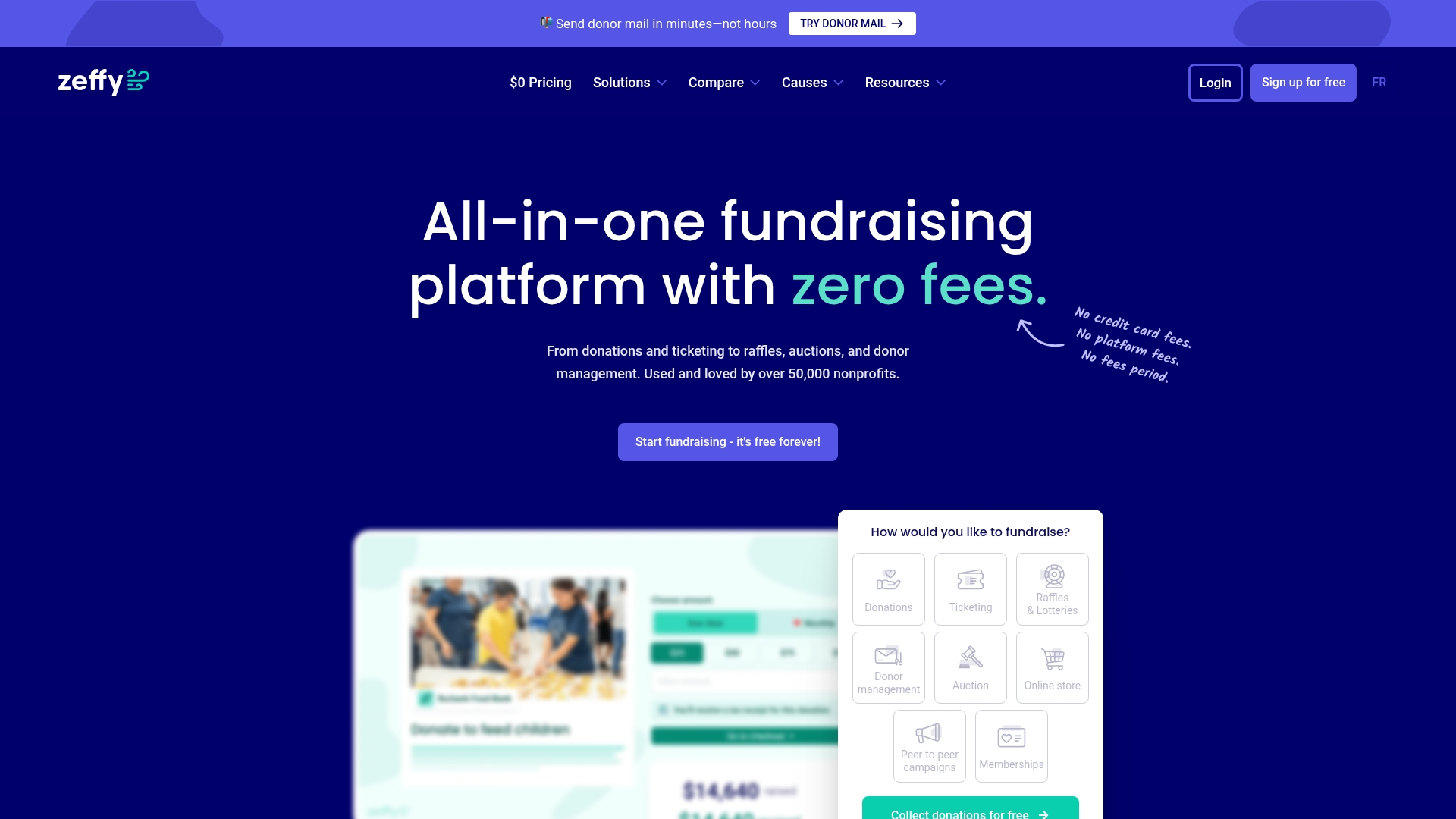
Le tableau de bord centralisé de Zeffy permet aux associations de parents d'élèves de gérer la vente de billets, les dons et les reçus des donateurs depuis un seul et même écran.
Idéal pour : les associations de parents d'élèves qui souhaitent optimiser chaque euro récolté tout en simplifiant la collecte de fonds pour les bénévoles
Une association de parents d'élèves qui collecte 10 000 dollars par an économise entre 200 et 300 dollars par rapport à PayPal, Square ou Stripe. Cela suffit pour financer les fournitures scolaires, subventionner des sorties éducatives ou fournir du matériel sportif.
« Grâce à Zeffy, nous économisons des centaines de dollars chaque année. Cet argent est directement reversé aux bourses destinées aux sorties scolaires. » — [Amanda Reyes, présidente de l'association des parents d'élèves, école primaire Oak Valley]
2. Carré
Square prélève 2,6 % + 0,10 $ par transaction. Une association de parents d'élèves qui collecte 10 000 $ paie environ 260 $ de frais, soit 60 $ de plus que le tarif appliqué par PayPal aux organisations à but non lucratif.
Ce que propose Square :
- Système de caisse performant : acceptez les cartes bancaires lors des salons du livre, des ventes de pâtisseries et autres événements grâce à des lecteurs de cartes
- Suivi des stocks : gérez les ventes de marchandises et identifiez les articles qui se vendent le mieux
- Configuration rapide : commencez à accepter des paiements en quelques minutes
- Une interface familière : de nombreux parents utilisent déjà Square pour d'autres achats

Square propose une interface soignée pour les paiements en personne, mais ne dispose pas d'outils de collecte de fonds spécifiques aux associations à but non lucratif.
Consultez notre comparatif complet de Square
Idéal pour : les associations de parents d'élèves qui organisent régulièrement des événements de vente en présentiel, comme des salons du livre ou des ventes d'articles aux couleurs de l'école
Ce qui manque : pas d'outils de gestion des donateurs, pas de reçus fiscaux automatiques, pas de fonctionnalités intégrées pour la collecte de fonds telles que les tombolas ou les ventes aux enchères. Vous aurez besoin d'outils distincts pour le suivi des donateurs et la gestion des événements.
3. Stripe
Stripe prélève 2,9 % + 0,30 $ par transaction. Une association de parents d'élèves qui collecte 10 000 $ paie environ 290 $ de frais, soit près de 100 $ de plus que le tarif appliqué par PayPal aux organisations à but non lucratif.
Ce que propose Stripe :
- Intégration au site web : intégrez directement des formulaires de paiement à votre site web de l'association de parents d'élèves
- Gestion des abonnements : automatisation du prélèvement des cotisations mensuelles ou annuelles
- Adapté aux développeurs : personnalisez les flux de paiement si vous disposez des compétences techniques nécessaires
- Paiements internationaux : acceptez les dons internationaux si vous avez des donateurs à l'étranger
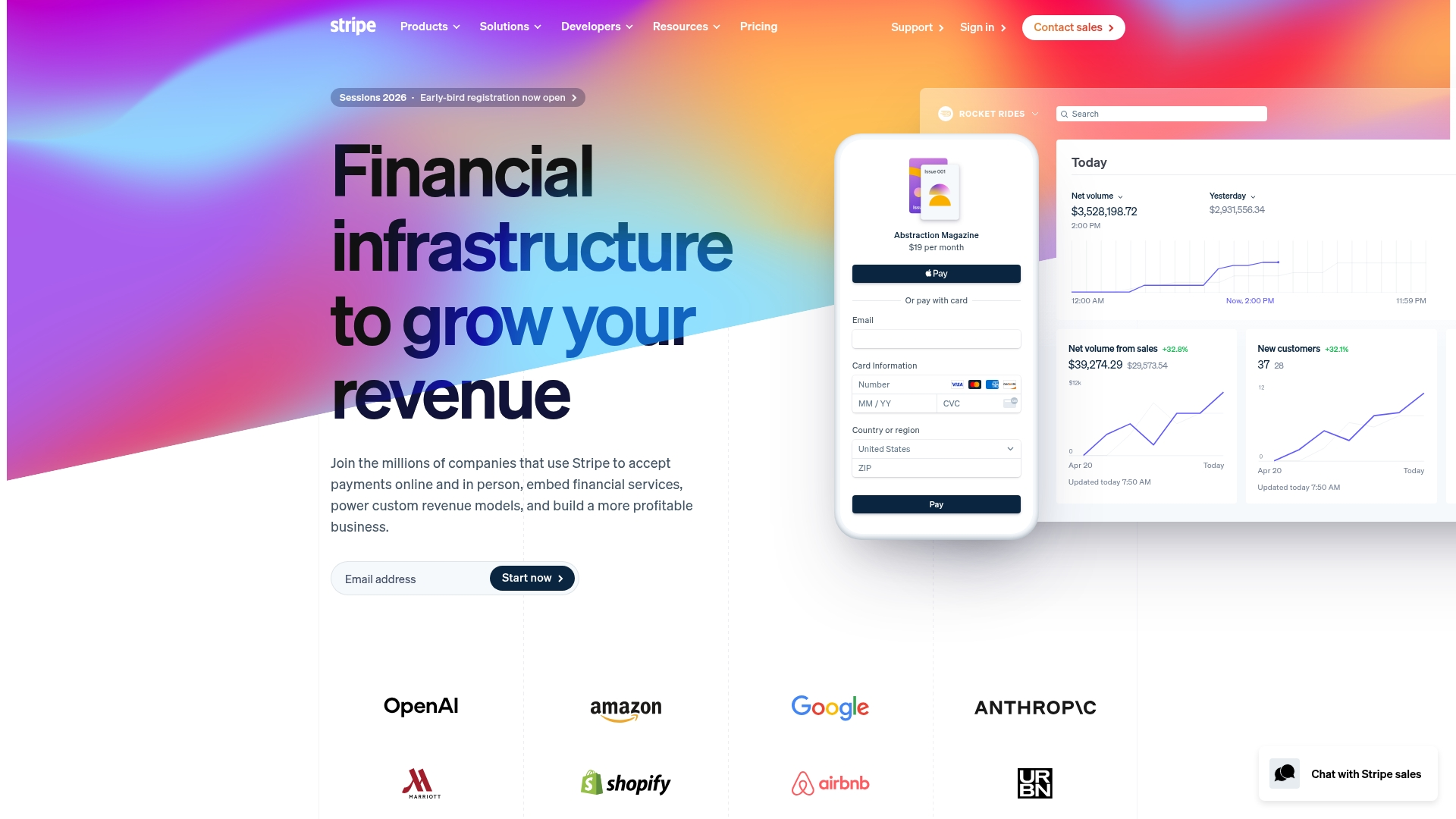
Stripe propose des outils de développement performants, mais leur configuration nécessite souvent des connaissances techniques pour les associations de parents d'élèves.
Idéal pour : les associations de parents d'élèves à l'aise avec les technologies, disposant de sites web personnalisés et de bénévoles capables de gérer les intégrations
Ce qui manque : nécessite une configuration technique et une maintenance régulière. Ne dispose pas d'outils intégrés de gestion de la relation client (CRM) pour les donateurs, de billetterie pour les événements ou de gestion des campagnes de collecte de fonds.
4. Venmo
Venmo facture 1,9 % + 0,10 $ pour les virements instantanés vers le compte bancaire de votre association de parents d'élèves. Les virements standard sont gratuits, mais prennent entre 1 et 3 jours ouvrables. Pour une association de parents d'élèves qui collecte 10 000 $, les frais de virement instantané s'élèveraient à environ 190 $.
Ce que propose Venmo :
- Fonctionnalités de paiement entre particuliers : les parents utilisent déjà Venmo pour leurs transactions personnelles
- Codes QR : partagez un code QR lors d'événements pour faciliter les paiements
- Une interface simple : les parents peuvent facilement envoyer de l'argent depuis leur téléphone
- Pas de frais mensuels : vous ne payez que lorsque vous recevez de l'argent

L'interface mobile familière de Venmo est très appréciée pour les paiements courants, même si elle ne dispose pas d'outils spécifiques destinés à la gestion des associations à but non lucratif.
Idéal pour : les collectes informelles et à petite échelle, comme les contributions pour une fête de classe ou les petites collectes de fonds
Ce qui manque : n'est pas conçu pour la collecte de fonds à but non lucratif. Pas de reçus fiscaux, pas de gestion des donateurs, pas de billetterie pour les événements.
Comparer les alternatives à Venmo
5. Apple Pay
Apple Pay ne facture pas de frais pour les virements par carte de débit, mais les transactions par carte de crédit sont traitées par votre prestataire de paiement (comme Square ou Stripe) et sont soumises à ses frais habituels.
Ce qu'offre Apple Pay :
- Paiements instantanés : les parents peuvent payer immédiatement depuis leur iPhone ou leur Apple Watch
- Transactions sécurisées : des fonctionnalités de sécurité intégrées protègent les informations de paiement
- Aucune application requise : fonctionne via Messages, Safari et d'autres applications
- Paiement rapide : le paiement en un clic facilite le processus
Apple Pay simplifie la procédure de don pour les parents grâce à l'utilisation des informations de paiement enregistrées.
Idéal pour : des transactions rapides et simples lorsque les parents utilisent déjà des appareils Apple
Ce qui manque : cette solution ne fonctionne que pour les utilisateurs d'appareils Apple, ce qui exclut les parents équipés d'Android. Elle ne propose pas de fonctionnalités autonomes de collecte de fonds, de gestion des donateurs ni de délivrance de reçus fiscaux.
Acceptez Apple Pay et les portefeuilles numériques avec Zeffy
6. Donorbox
Donorbox prélève des frais de plateforme de 2,95 %, auxquels s'ajoutent les frais de traitement des paiements. Si vous utilisez Stripe comme prestataire de services de paiement, vous devrez payer 2,95 % + 2,2 % + 0,30 $ par transaction. Pour une association de parents d'élèves qui collecte 10 000 $, cela représente plus de 515 $ de frais au total.
L'abonnement Pro coûte 150 $ par mois et ramène les frais de plateforme à 1,75–2 %, mais vous devrez tout de même payer des frais de traitement en plus de l'abonnement.
Ce que propose Donorbox :
- Formulaires dédiés aux dons : créez des pages de dons personnalisables à intégrer à votre site web
- Dons réguliers : mettre en place des programmes de dons mensuels pour un soutien durable
- Codes QR : Générer des codes QR pour la collecte de dons en personne
- Prise en charge multidevise : acceptez des dons dans 43 devises
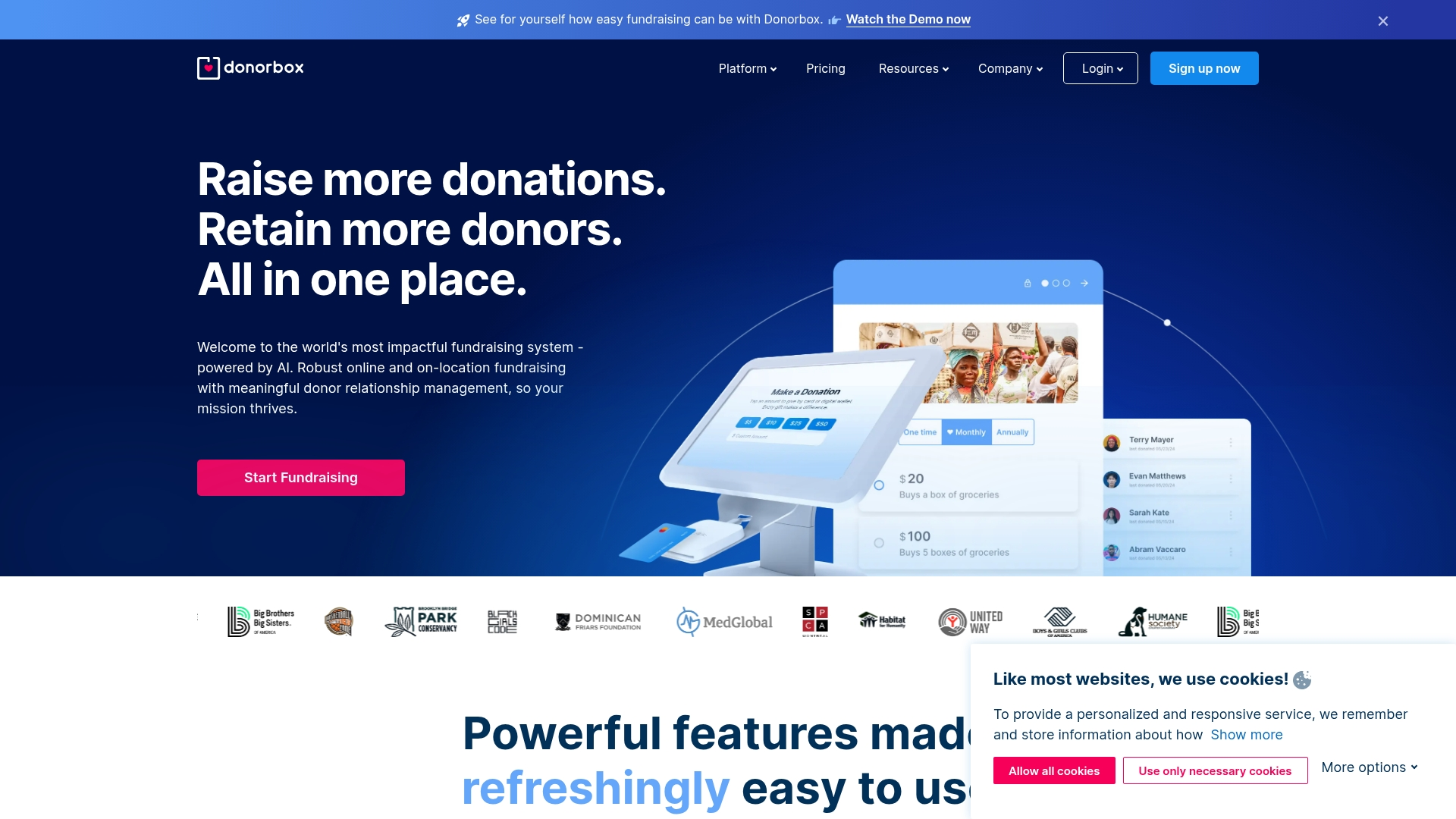
Donorbox propose des formulaires de don personnalisables, spécialement conçus pour les dons réguliers.
Idéal pour : les campagnes de dons en ligne axées sur les dons réguliers
Ce qui manque : la billetterie pour les événements passe au second plan par rapport aux dons. Pas de paiement sans contact, pas d'outils d'enregistrement sur place, pas de fonctionnalités pour les ventes aux enchères ou les tombolas.
7. PTOffice
PTOffice est un logiciel de comptabilité et de gestion conçu pour les associations de parents d'élèves. Il permet de gérer la budgétisation, les rapports financiers et le suivi des adhésions, mais nécessite des outils de traitement des paiements distincts.
Ce que propose PTOffice :
- Comptabilité adaptée aux associations de parents d'élèves : modèles de budget et rapports financiers intégrés, conçus pour répondre aux besoins des associations de parents d'élèves
- Gestion des adhésions : suivi des informations relatives aux membres et du paiement des cotisations
- Outils de conformité : aider les associations de parents d'élèves à respecter les exigences régionales et nationales en matière de PTA
- Contrôle financier : plusieurs niveaux d'approbation pour les dépenses et les transactions
Idéal pour : les associations de parents d'élèves qui ont besoin d'une intégration solide en matière de comptabilité et de gestion financière
Ce qui manque : le traitement des paiements nécessite l'intégration d'un service tiers, ce qui entraîne des frais supplémentaires. N'est pas conçu comme une plateforme de collecte de fonds.
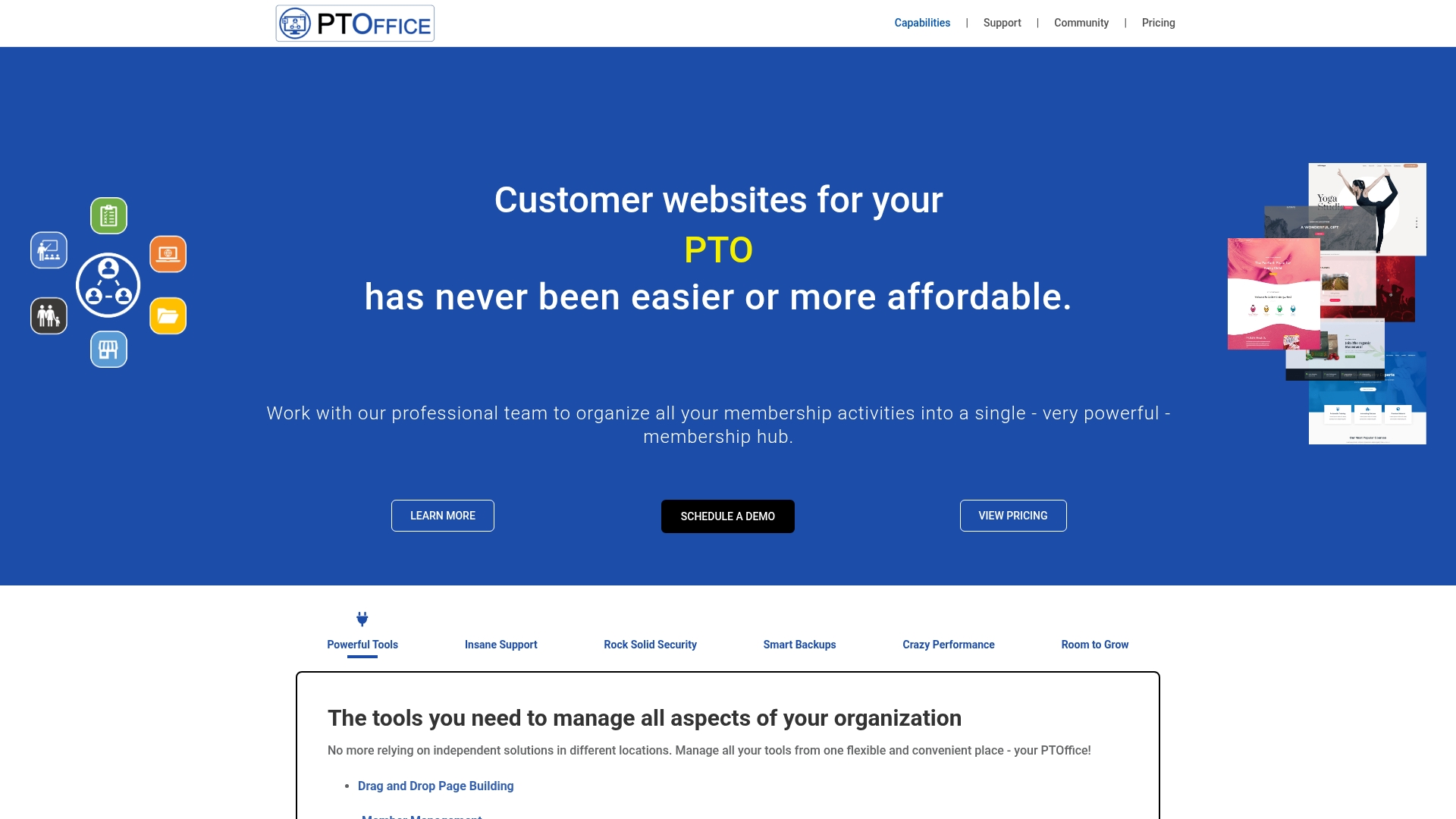
PTOffice est spécialisé dans la comptabilité et la gestion des adhésions, mais fait appel à des prestataires de services de paiement externes.
8. MoneyDolly
MoneyDolly est spécialisée dans les collectes de fonds scolaires basées sur la vente de produits, telles que la vente de pâte à biscuits, les campagnes de papier cadeau et les ventes par catalogue. Il ne s'agit pas d'une plateforme de paiement, mais d'un prestataire spécialisé dans les collectes de fonds.
Ce que propose MoneyDolly :
- Collectes de fonds par la vente de produits : accès aux catalogues de produits que les familles peuvent acheter
- Commande en ligne : les parents peuvent commander et payer en ligne plutôt que d'utiliser de l'argent liquide
- Suivi des bénéfices : découvrez combien votre association de parents d'élèves (PTA) gagne grâce à chaque campagne
- Coordination des livraisons : contribuer à la gestion de la distribution des produits
Idéal pour : les associations de parents d'élèves qui organisent des collectes de fonds traditionnelles axées sur la vente de produits
Ce qui manque : il ne s'agit ni d'une plateforme de paiement ni d'une solution de billetterie pour des événements. Elle est réservée à des campagnes de collecte de fonds spécifiques.
9. VerticalRaise
VerticalRaise se concentre sur les campagnes de collecte de fonds sur mobile, dans le cadre desquelles les participants partagent des pages de collecte de fonds personnalisées avec leurs réseaux. Les tarifs ne sont pas rendus publics et varient en fonction de l'ampleur de la campagne.
Ce que propose VerticalRaise :
- Campagnes axées sur le mobile : les participants collectent des fonds depuis leur téléphone
- Partage sur les réseaux sociaux : partage facile sur les réseaux sociaux et avec vos contacts
- Classements : la gamification pour encourager la participation
- Assistance pour les campagnes : une équipe dédiée vous aide à planifier et à mettre en œuvre vos campagnes

VerticalRaise utilise des campagnes axées sur le mobile et conçues pour le partage sur les réseaux sociaux.
Consultez notre comparatif complet de VerticalRaise
Idéal pour : les grandes campagnes de collecte de fonds dans lesquelles les élèves ou les familles s'impliquent activement
Ce qui manque : une structure tarifaire complexe et peu transparente. Ce service n'est pas conçu pour la billetterie événementielle, la vente en magasin ou le traitement général des paiements.
Comparez Zeffy à VerticalRaise
10. Authorize.Net
Authorize.Net facture 25 $ par mois, plus 2,9 % + 0,30 $ par transaction. Pour une association de parents d'élèves qui collecte 10 000 $ par an, vous devriez payer 300 $ de frais mensuels, plus environ 290 $ de frais de transaction, soit un total de près de 600 $.
Ce qu'offre Authorize.Net :
- Sécurité de niveau entreprise : fonctionnalités avancées de détection des fraudes et de sécurité
- Passerelle de paiement : traitez les paiements via votre site web ou votre application
- Facturation récurrente : automatisez le prélèvement des cotisations et des dons réguliers
- Plusieurs modes de paiement : acceptez les cartes de crédit, les chèques électroniques et les paiements numériques
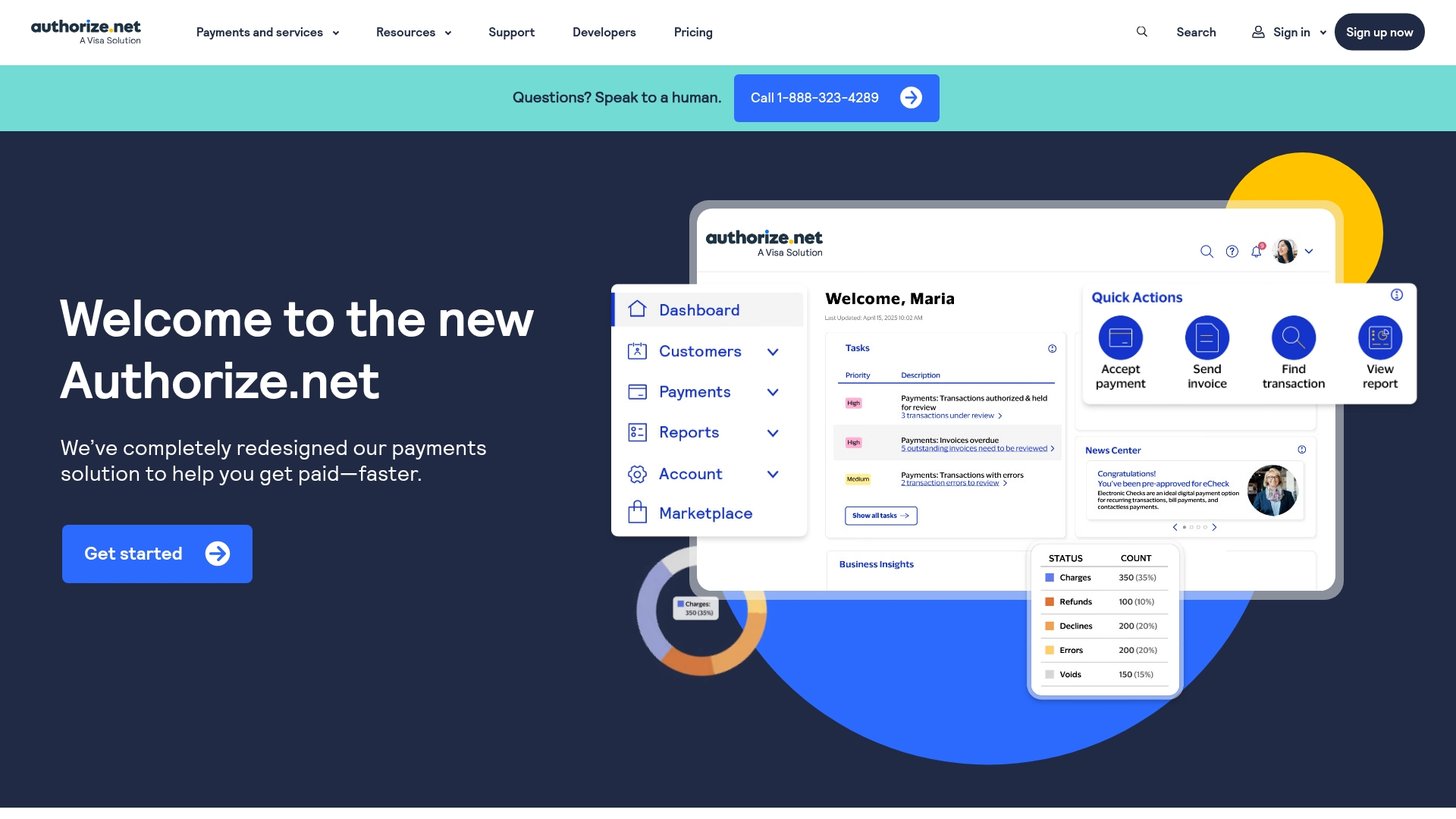
Authorize.Net propose une passerelle de paiement fiable, mais nécessite une configuration technique et implique des frais mensuels.
Idéal pour : les associations de parents d'élèves de grande envergure disposant d'un volume important de collectes de fonds et de ressources techniques
Ce qui manque : nécessite une intégration technique avec votre site web. Les frais mensuels élevés rendent cette solution coûteuse pour les associations de parents d'élèves de petite et moyenne taille.
Comment choisir une alternative à PayPal pour votre association de parents d'élèves
Le choix de la plateforme de paiement appropriée dépend de la taille de votre association de parents d'élèves, de vos objectifs de collecte de fonds et de vos capacités en matière de bénévolat.
Calculez le coût total. Une plateforme qui prélève 2,9 % peut sembler raisonnable, jusqu’à ce que vous réalisiez que cela représente 290 $ pour une collecte de fonds de 10 000 $. Multipliez ce montant par le nombre d’événements organisés, et vous perdrez des milliers de dollars chaque année.
Dressez la liste des fonctionnalités indispensables avant de comparer les plateformes :
- Avez-vous besoin d'un système de billetterie pour votre festival d'automne ?
- Avez-vous besoin de mettre en place des prélèvements automatiques pour les cotisations ?
- Avez-vous besoin de reçus fiscaux automatiques pour les donateurs ?
- Avez-vous besoin d'un outil de gestion des donateurs pour suivre les contributions des parents ?
Pensez à la complexité de l'outil pour les bénévoles. Les parents bénévoles pourront-ils se familiariser rapidement avec la plateforme, ou faudra-t-il leur dispenser une formation ? Plus l'outil est simple, moins vous passerez de temps à expliquer aux gens comment s'en servir.
Vérifiez les besoins en matière d'intégration. La plateforme est-elle compatible avec le site web de votre association de parents d'élèves ? Peut-elle se connecter à votre système de messagerie électronique ? Plus vous avez besoin d'intégrations, plus la configuration et la maintenance deviennent complexes.
Vérifiez si une aide est disponible. Peut-on compter sur une aide lors des soirées organisées par l'association des parents d'élèves, au moment où vous en aurez probablement le plus besoin ?
Choisissez en fonction de la taille du PTA :
- Petites associations de parents d'élèves (collecte de fonds annuelle inférieure à 5 000 $) : Zeffy supprime tous les frais et regroupe toutes les fonctionnalités en un seul endroit
- Associations de parents d'élèves de taille moyenne (collecte de fonds annuelle comprise entre 5 000 et 25 000 dollars) : Zeffy permet d'économiser entre 500 et 2 500 dollars par an tout en simplifiant les opérations
- Grandes associations de parents d'élèves (collecte de fonds annuelle supérieure à 25 000 $) : Zeffy permet d'économiser des milliers de dollars en frais et de réduire l'épuisement des bénévoles
Choisissez en fonction de vos besoins principaux :
- Si faire des économies est votre priorité n° 1 : Zeffy supprime tous les frais
- Si vous organisez régulièrement des ventes en présentiel : la solution « Tap to Pay » de Zeffy est idéale pour les salons du livre et autres événements (compatible avec iPhone et Android)
- Si vous avez besoin d'un système simple pour recueillir des dons en ligne : Zeffy propose des formulaires de don avec génération automatique de reçus fiscaux
- Si vous organisez plusieurs événements chaque année : Zeffy gère la billetterie, l'enregistrement et le suivi des donateurs sur une seule et même plateforme
Erreurs courantes liées aux plateformes de paiement que les associations de parents d'élèves peuvent éviter
Tirer les leçons de l'expérience d'autres associations de parents d'élèves peut vous faire gagner du temps, de l'argent et vous éviter bien des tracas.
L'utilisation de plusieurs plateformes complique considérablement le rapprochement des comptes. Si vous utilisez PayPal pour les dons, Eventbrite pour la vente de billets et Square pour les paiements en personne, vous passerez chaque mois des heures à faire correspondre les transactions avec les dépôts bancaires. Une seule plateforme signifie un seul processus de rapprochement.
On oublie souvent l'impact global des frais sur les programmes. Des frais de 2,9 % peuvent sembler insignifiants jusqu'à ce qu'on calcule ce qu'ils représentent. Sur 10 000 dollars collectés, cela représente une perte de 290 dollars en frais. C'est suffisant pour financer le matériel artistique de toutes les classes ou pour permettre à dix élèves de participer à une sortie scolaire.
La création manuelle de reçus fait perdre un temps précieux aux bénévoles. Si vous saisissez les informations des donateurs dans un tableur et que vous créez manuellement les reçus fiscaux, vous passez des heures à effectuer un travail qui pourrait être automatisé.
Sans sauvegarde des données relatives à vos donateurs, vous risquez de perdre des années d'informations. Si votre plateforme de paiement venait à fermer ou si vous perdiez l'accès à votre compte, seriez-vous en mesure d'exporter votre liste de donateurs ? Optez toujours pour des plateformes qui vous permettent de rester propriétaire de vos données et de les exporter.
Choisir sans tester conduit à des regrets. Testez d'abord toute nouvelle plateforme à petite échelle avant de l'adopter pour votre plus grande collecte de fonds.
Questions fréquemment posées
Oui, vous pouvez exporter l'historique de vos transactions PayPal avant de changer de plateforme. La plupart des solutions alternatives, dont Zeffy, vous permettent d'importer les données de vos donateurs afin que vous puissiez conserver vos dossiers et continuer à communiquer avec vos sympathisants.
PayPal facture 1,99 % + 0,49 $ par transaction, même avec les réductions accordées aux associations à but non lucratif. Sur 10 000 $ collectés, cela représente plus de 200 $ de frais. Zeffy supprime totalement ces frais, tandis que d'autres solutions comme Square (2,6 % + 0,10 $) et Stripe (2,9 % + 0,30 $) facturent en réalité plus cher que PayPal.
Avec « Tap to Pay » de Zeffy, vous pouvez accepter les paiements par carte bancaire en utilisant simplement votre iPhone ou votre appareil Android, grâce à des codes QR qui permettent un enregistrement rapide. Contrairement aux lecteurs de cartes de Square, qui coûtent entre 50 et 300 dollars, les outils de paiement mobile de Zeffy sont entièrement gratuits et fonctionnent sans matériel supplémentaire.
Zeffy génère et envoie automatiquement des reçus fiscaux conformes aux normes de l'IRS à chaque donateur dès que celui-ci a effectué son don. Le CRM intégré permet de suivre l'ensemble des activités des donateurs lors des différents événements, ce qui simplifie la préparation des rapports de fin d'année. PayPal et la plupart des prestataires de paiement n'offrent pas cette fonctionnalité.
Aucune expertise technique n'est requise pour passer à Zeffy. La plateforme est conçue pour les associations gérées par des bénévoles : elle offre une configuration simple, des interfaces intuitives et une assistance illimitée assurée par de vraies personnes qui comprennent les besoins des associations de parents d'élèves.
Quelle alternative à PayPal votre association de parents d'élèves devrait-elle choisir ?
Le choix de la meilleure alternative à PayPal pour votre association de parents d'élèves se résume à une seule question : souhaitez-vous conserver 100 % des fonds collectés tout en simplifiant vos opérations ?
Si votre réponse est oui, Zeffy est faite pour vous. C'est la seule plateforme qui supprime tous les frais tout en offrant tout ce dont les associations de parents d'élèves ont besoin : billetterie pour les événements, gestion des donateurs, reçus fiscaux automatiques, enregistrement par QR code, paiement sans contact et assistance illimitée.
Voici ce que représentent concrètement ces économies sur les frais. Une association de parents d'élèves qui collecte 10 000 $ par an économise entre 200 et 300 $ en passant de PayPal à Zeffy :
- Financer le matériel scolaire de trois enseignants pour une année entière
- Financer des bourses pour une sortie scolaire destinée à cinq élèves
- Achetez de nouveaux équipements de jeux qui feront le bonheur de centaines d'enfants
- Fournir plus de 50 repas lors d'événements scolaires
- Acheter des maillots pour toute une équipe sportive
Les autres solutions facturent des frais qui s'accumulent rapidement. Sur ces mêmes 10 000 dollars, Square prélève 260 dollars, Stripe 290 dollars et Donorbox plus de 500 dollars.
Au-delà des économies financières, Zeffy permet de gagner du temps aux bénévoles. Plus besoin de jongler entre PayPal pour les dons, Eventbrite pour les billets et des tableaux Excel pour le suivi des donateurs : vous gérez tout depuis un tableau de bord simple et intuitif.


.webp)

